
Screenshots
App details
- Updated
- Feb 18, 2010
- Language
- English
- Developer
- muvee Technologies Pte. Ltd.
- Category
- Mobile
SoftPas in:
This product is also available in the following languages:
About muvee autoProducer
Download muvee autoProducer – video editor, home video, auto video editor, video style, music integration, CD/DVD burner, quick output
Overview
muvee autoProducer is a video editing tool designed to simplify the creation of polished home videos for users who prioritize ease of use over advanced control. The app serves as a streamlined solution for individuals seeking to transform raw video clips into visually engaging content with minimal technical effort. It addresses the common challenge of time-consuming editing processes by automating key aspects such as transitions, effects, and audio synchronization. This makes it particularly valuable for families, event organizers, and casual content creators who want to preserve memories without mastering complex editing software.
Target users include non-professionals who may lack experience with video editing tools but still desire professional-looking results. The app’s focus on automation and simplicity positions it as a utility for quick content production rather than creative experimentation. While the developer, muvee Technologies Pte Ltd, is not further detailed in the provided data, the app’s long-standing presence in the market suggests a commitment to user-friendly design and consistent functionality. Real-world use cases include compiling birthday footage, wedding highlights, or travel reels into shareable formats, often for offline distribution.
Within the broader video editing ecosystem, muvee autoProducer occupies a niche for accessible, no-frills editing. Its value lies not in feature depth, but in enabling users to achieve results quickly and reliably. Despite its age, the app remains relevant for users who prioritize speed and simplicity over customization.
Key Features & Functionality
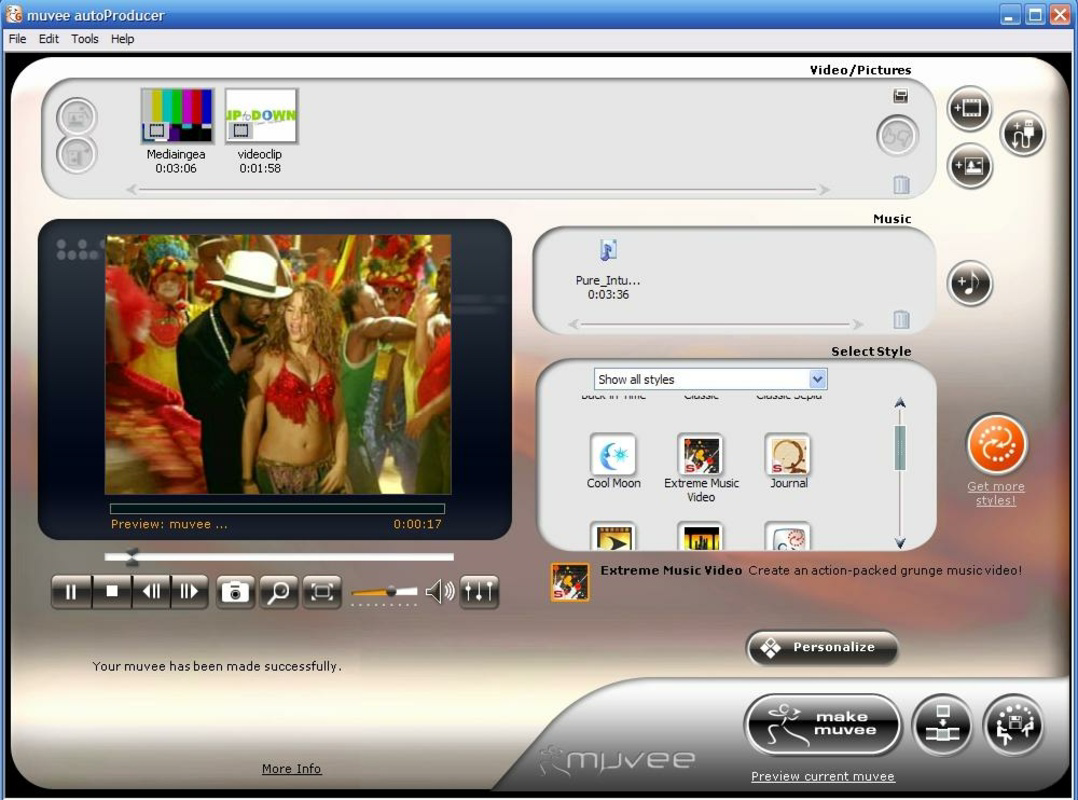
- Easy Video Editing: The core functionality revolves around a minimalistic workflow—import clips, select a style, and generate the final video. This reduces the learning curve significantly, making it ideal for beginners.
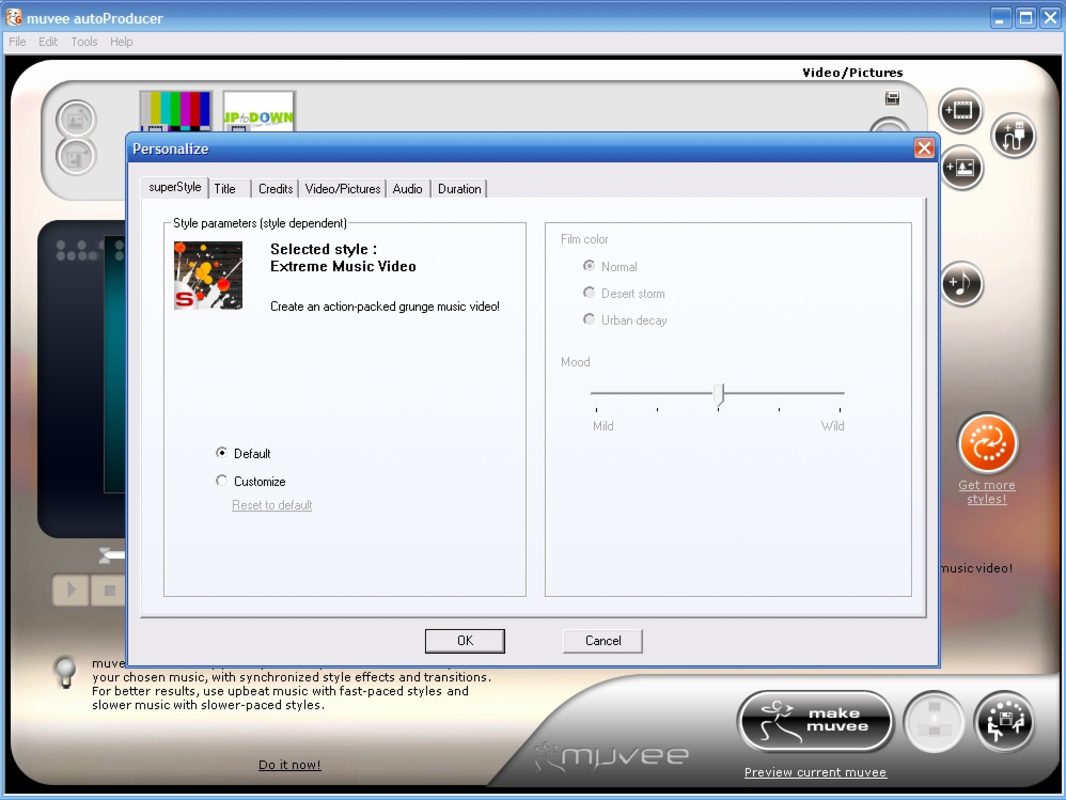
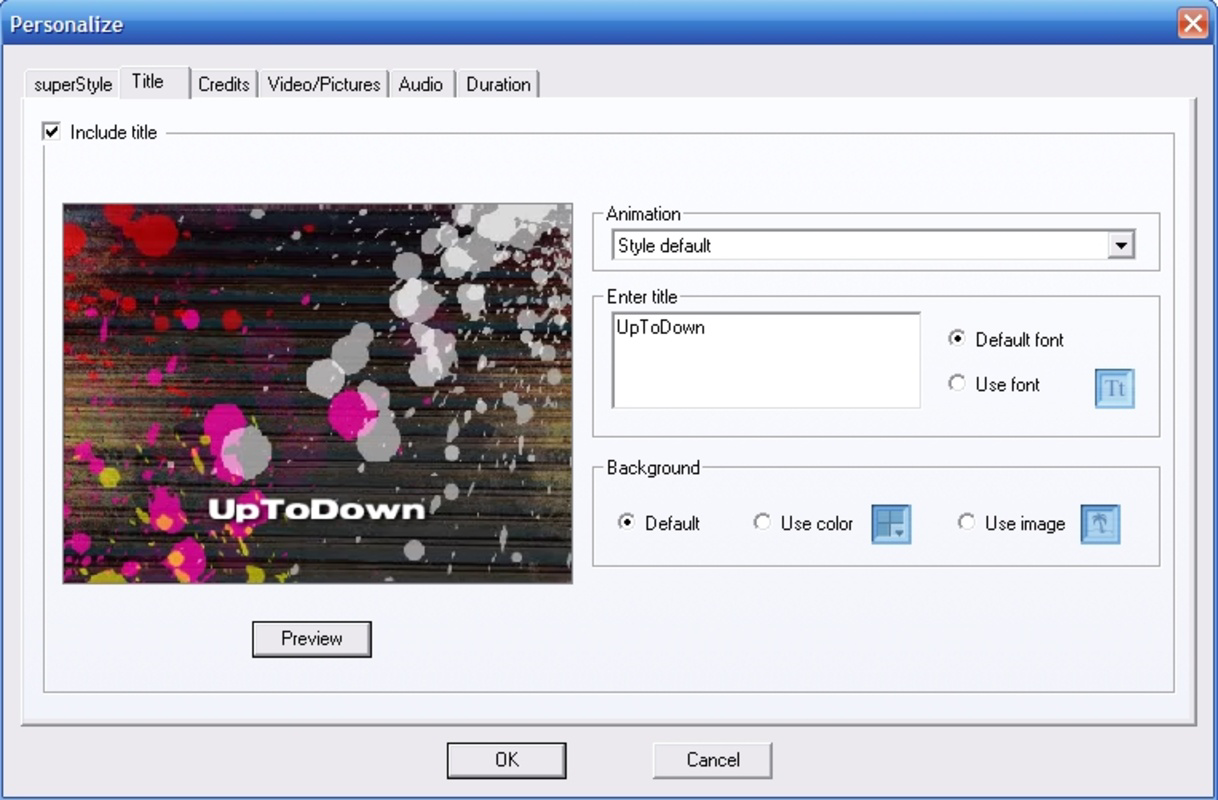
- Variety of Styles: Users can choose from over 15 pre-designed video styles, each with unique combinations of transitions, effects, and pacing. These styles automatically adapt to the content, ensuring visual cohesion.
- Music Integration: Built-in music tracks are synchronized with the video timeline, enhancing emotional impact. Users can select from a library of audio options that match the chosen style.
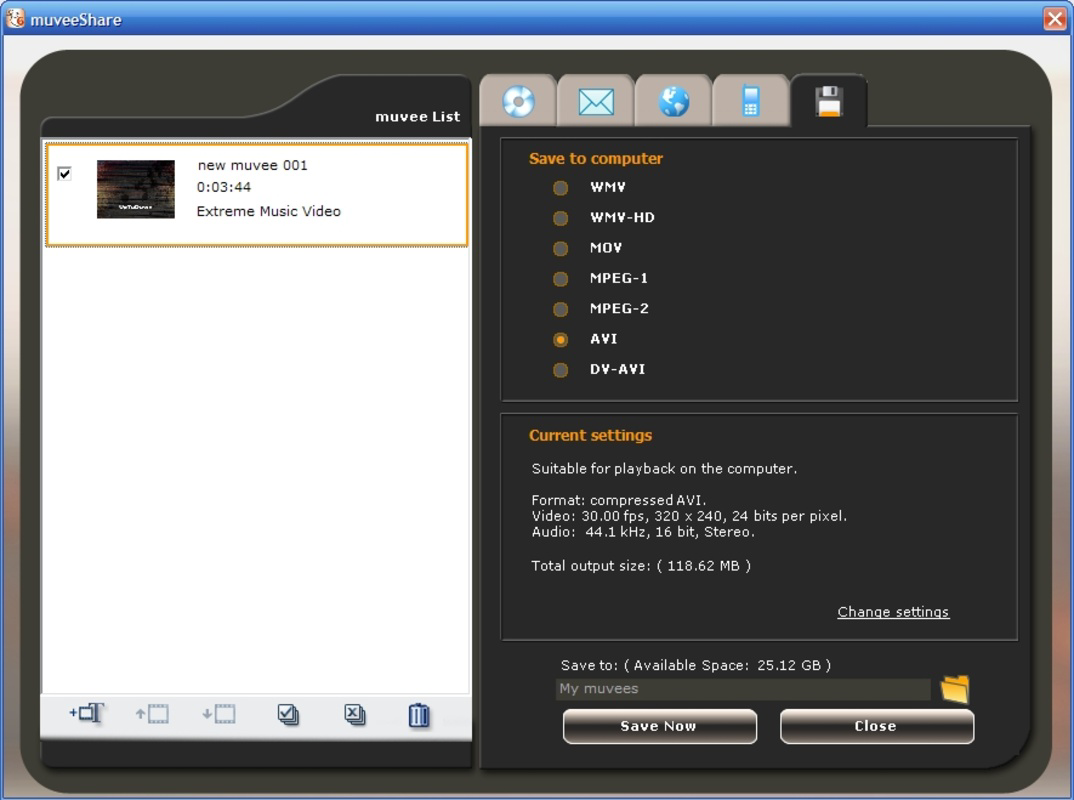
- Built-in CD/DVD Burner: After rendering, videos can be burned directly to physical media without requiring third-party software, simplifying the sharing process for offline audiences.
- Quick Output: The app efficiently processes video files, reducing wait times and enabling rapid sharing across platforms or physical formats.
For example, a user compiling vacation footage can import clips, pick a “Travel Journey” style, let the app apply transitions and effects, add a background track, and burn the result to a DVD for relatives. This end-to-end automation saves hours of manual editing and is especially useful for time-constrained users.
Interface, UX & Performance
muvee autoProducer features a clean, task-oriented interface that guides users through each step of the editing process. The layout is structured around a linear workflow: import, style selection, audio integration, and output. Navigation is straightforward, with clearly labeled buttons and visual feedback during processing. The design prioritizes clarity over aesthetic flair, ensuring that users focus on content rather than interface complexity.
Although the developer did not list formal performance metrics, the app’s file size of 18.9 MB suggests it is lightweight and optimized for systems with limited resources. The interface remains responsive during basic operations such as clip import and style preview. Stability is implied by the app’s long release history, though specific crash reports or error logs were not provided.
Performance on different device categories was not disclosed. However, given its small footprint and Windows platform focus, it likely runs smoothly on mid-range desktops and laptops. Users may experience delays when rendering high-resolution videos, but the app is designed to minimize processing time through efficient algorithms.
Platform Compatibility & Technical Requirements
muvee autoProducer is available exclusively for the Windows operating system. The current version is 2.0.0.0, with a file size of 18.9 MB. This indicates a compact installation package, suitable for systems with limited storage capacity.
The developer did not specify minimum OS requirements, so compatibility with modern Windows versions (e.g., Windows 10 or 11) cannot be confirmed. Users should verify system compatibility before installation. No information was provided regarding hardware specifications such as RAM or GPU requirements.
As the app is not available on mobile platforms, it is intended for desktop use only. This limits its accessibility for users who prefer on-the-go editing but reinforces its role as a desktop-based video utility.
Pros and Cons
Pros
- Simple, intuitive interface ideal for beginners
- Automated editing reduces time and effort
- Over 15 built-in video styles with unique effects
- Integrated music library enhances emotional storytelling
- Built-in CD/DVD burning simplifies physical sharing
- Lightweight file size (18.9 MB) for fast installation
Cons
- No mobile version available for on-the-go use
- Limited customization options for advanced users
- Specific system requirements were not listed
- App has not been updated since 2010, raising concerns about modern OS compatibility
- Additional styles require in-app purchases
FAQ
Is muvee autoProducer safe to download and install?
Yes, the app is available through official channels and is free of charge. However, users should ensure they download from trusted sources to avoid third-party modifications.
Can I use muvee autoProducer on Windows 10 or Windows 11?
While the app was released in 2010, its compatibility with modern Windows versions has not been officially confirmed. Users are advised to test the app on their system or check community forums for user experiences.
Does muvee autoProducer require an internet connection?
Basic editing functions can be performed offline. However, accessing additional styles or music tracks may require an internet connection, depending on the version installed.
Is muvee autoProducer free to use?
Yes, the app is available at no cost. However, certain features such as additional video styles may require in-app purchases.
Can I export videos to online platforms?
The app does not explicitly support direct upload to social media platforms. However, users can export videos in standard formats and share them manually via email or cloud services.
Final Thoughts
muvee autoProducer remains a reliable choice for users seeking a no-hassle way to create home videos with minimal technical knowledge. Its strength lies in automation—offering a plug-and-play experience that delivers polished results without requiring editing expertise. While it lacks modern features like cloud sync or mobile access, its core functionality remains effective for offline video compilation and physical distribution.
Those who value speed, simplicity, and direct sharing via CD/DVD will find the app particularly useful. It’s ideal for families preserving memories, educators creating simple presentations, or anyone needing a quick video output without the complexity of professional tools.
Despite its age, muvee autoProducer continues to serve its niche well. For users who prioritize ease of use over customization, it delivers consistent value. Download muvee autoProducer now.
Guides & Tutorials
How to install muvee autoProducer
- Click the Download button above.
- Once redirected, accept the terms and click Install.
- Wait for the muvee autoProducer download to finish on your device.
How to use muvee autoProducer
This software is primarily used for its core features described above. Open the app after installation to explore its capabilities.
User Reviews
No reviews yet. Be the first to share your experience.
You may also like
more
Que no te pillen¡
About !Que no te pillen¡Reviewed by Jason A. BilbreyShow MoreShow Less

3D Combat Zone
About 3D Combat ZoneOriginally released in 1983, 3D Combat Zone immerses players...

666: El día del portal
About 666: El día del portalOn June 6, 2006, Agent P. Stone uncovers a sinister...

80 in 1 Best Flash games
About 80 in 1 Best Flash games 80 in 1 Best Flash games is a collection of 80 fl...

ABYSS SEEKERーーWhat Do You See Deep in The Abyss
About ABYSS SEEKERーーWhat Do You See Deep in The AbyssIn ABYSS SEEKER, players...

ACA NEOGEO THE KING OF FIGHTERS 2002 for Windows
About ACA NEOGEO THE KING OF FIGHTERS 2002 for WindowsTHE KING OF FIGHTERS 2002,...